How to Read an Electric Bike Meter Display?
An Electric Bike Meter Display is more than a row of numbers. It is the rider’s quick view of speed, battery charge, assistance level, and trip distance. A glance at the screen can help explain why the motor feels stronger on a climb or why the remaining range changes in cold weather. Small details matter. A battery icon is an estimate, not a promise of distance.
The market is growing, and more riders are encountering these displays. PeopleForBikes reported that U.S. electric-bike sales increased 269% from 2019 to 2022. That figure describes sales, not how well riders understand their screens. Still, it points to a practical need: clear guidance for reading the information a specific bike provides. Displays differ by brand, and symbols or buttons may work differently. The owner’s manual remains the best reference for model-specific meanings.
This guide will explain common readouts, button controls, warning icons, and range estimates in plain language. It will also note where readings can mislead; battery bars do not always fall evenly. One sourcing detail matters: no article or verifiable expert quotation was supplied, so I cannot responsibly attribute a sentence to a named industry expert. A checked quote would strengthen the introduction. For now, the goal is simple: help riders read the screen with care, not guesswork.
Identify the Main Parts of an Electric Bike Meter Display
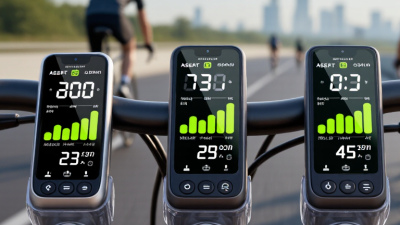
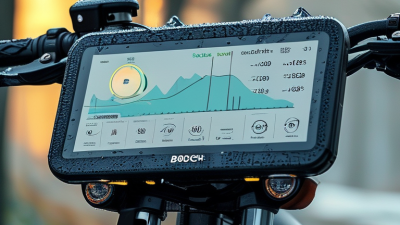
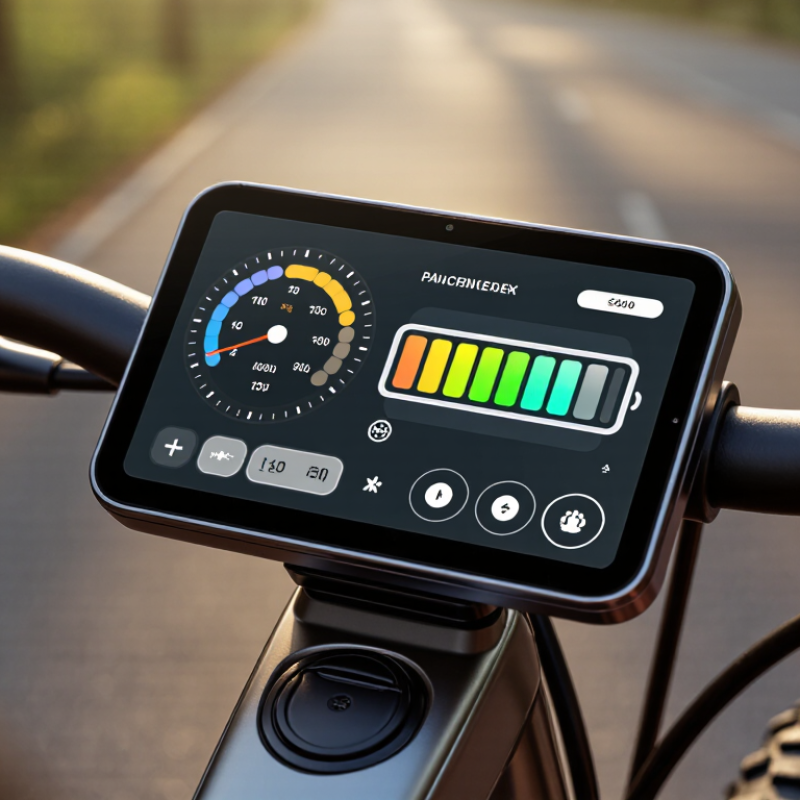
An electric bike meter usually groups key information into a few easy-to-scan areas. The largest number is often current speed, shown in miles or kilometers per hour. Nearby, an assist-level indicator shows how much motor support is selected. A battery icon or row of bars estimates remaining charge, while smaller fields may display trip distance, total distance, riding time, or error codes. Not every screen includes every feature.
The battery gauge needs careful reading. Battery voltage can dip during hard acceleration or steep climbs, so its bars may change before settling again. Treat them as an estimate, not a precise range promise. A 2022 market report from the Light Electric Vehicle Association estimated about 1.1 million e-bike imports into the United States, making clear, readable controls increasingly important. Still, the report measures imports, not how accurately meters display charge. That distinction matters. Before riding, check the units, assist setting, and warning symbols; consult the bike’s manual if an icon is unfamiliar. Small details count. I sometimes trust a full-looking battery symbol too much, then reconsider when the route turns uphill.
Read the Battery Level and Charging Status
On an electric bike meter, the battery icon is a guide, not a laboratory measurement. Read it while the bike is switched on and parked, then check whether it shows bars, a percentage, or both. Four bars may look reassuring, but the display’s scale differs between systems. A brief drop under hard pedaling can reflect voltage sag, not a suddenly empty battery.
The International Energy Agency’s Global EV Outlook 2024 reported that electric-car battery demand exceeded 750 GWh in 2023, about 40% above 2022. That figure covers cars, not e-bikes; it shows the scale of battery technology, not a universal e-bike reading. For your bike, use its manual to understand the meter’s specific indicators.
When charging, look for a plug or animated battery symbol, and confirm the display changes after connecting the charger. A full icon usually means charging has stopped or reached its set limit; it does not guarantee the battery is perfectly full.
Watch the display for a moment. Some meters update slowly. If the level jumps, or the charging symbol disappears unexpectedly, check the connector and charger indicator before assuming the battery is damaged. I still find percentage readings easy to trust too much. They are estimates, and temperature, age, and load can affect what you see.
Understand Speed, Distance, and Ride-Time Readings
How to Read an Electric Bike Meter Display?
Understand Speed, Distance, and Ride-Time Readings
An electric bike display usually shows current speed, trip distance, total distance, and ride time. Current speed changes quickly, so glance at it briefly rather than staring while moving. Average speed describes the whole trip; maximum speed records a brief peak. These figures answer different questions. A short downhill can raise the maximum without making the ride faster overall. Check whether speed is shown in kilometres or miles per hour before comparing rides.
Trip distance typically resets, while the odometer keeps a cumulative total. Ride time may count only when the bike is moving, or include stops; display settings differ. Compare readings across similar routes, and note pauses or detours in a phone log.
The National Institute for Transportation and Communities’ North American e-bike owner survey found that 91% of respondents rode weekly or more after getting an e-bike, versus 55% beforehand.
That shift makes consistent trip tracking useful, but the survey describes rider habits, not meter accuracy. Numbers need context. A mismatched wheel-size setting, sensor issue, or low battery can also affect readings.
If the distance seems implausible, compare it with a measured route and check the manual; I’ve learned not to trust one odd ride as a trend.
Recognize Warning Icons and System Messages
An e-bike meter is more than a speed window; its icons can reveal faults before a ride becomes unsafe. A flashing battery symbol may indicate low charge, a connection issue, or a battery fault. Meanings vary by system. Check the display guide in your bike’s manual, not an icon chart from another model. Small symbols are easy to misread in rain or glare.
A 2023 U.S. Consumer Product Safety Commission staff briefing recorded 208 fire or overheating incidents and 19 deaths involving micromobility devices. The count covered e-bikes, scooters, and other devices from January 2021 to November 2022. These figures do not show that display alerts prevent fires. They do underline why battery-related warnings deserve attention.
When a red battery, temperature, or motor warning appears, slow down and stop somewhere safe. Photograph the message, note whether pedal assistance cut out, and consult the manual or a qualified technician. Avoid repeated resets or opening the battery case. A warning can vanish, but the fault may remain. It is tempting to blame a loose cable; that guess can be wrong.
How to Read an Electric Bike Meter Display? — Recognize Warning Icons and System Messages
Example Battery State-of-Charge Readings
The chart illustrates battery percentages you may see on an e-bike display; it is an example, not a universal alert threshold. A low-battery icon means the remaining charge is limited. A temperature warning may indicate the battery or drive system is too hot or cold. A motor, controller, or brake warning can signal a system issue—stop safely and check the display manual. Icon shapes and messages vary by bike; note any error code and consult the manufacturer’s guidance.