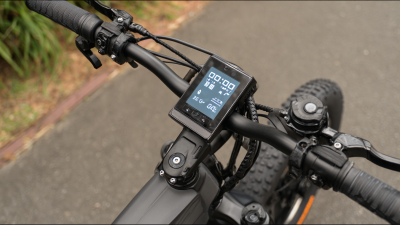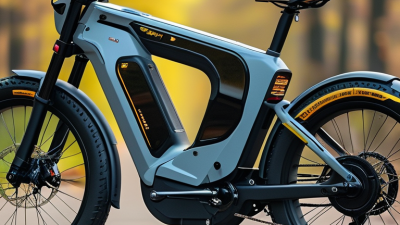
In 2026, choosing an E Cycle Display is about more than finding the brightest screen. Riders need information they can read quickly, without taking their attention from the road. A useful display shows speed, battery level, and assist mode clearly, even when sunlight flashes across the glass or damp gloves make buttons harder to press. Small details matter.
Human-centered design expert Don Norman wrote, “Good design is actually a lot harder to notice than poor design.” That idea offers a practical lens for comparing this year’s displays. A clear layout, responsive controls, and legible type can make a ride feel simpler; clutter or glare can make even a feature-rich unit frustrating. This guide looks at screen visibility, navigation, connectivity, control feel, and compatibility with different e-bike systems. It also considers whether the information remains useful on a steep climb, when a quick glance matters.
Not every rider needs the same setup. Some want route guidance and phone integration; others prefer a tough, uncomplicated screen with essential ride data. There is no perfect display. Compatibility claims can be confusing, and specifications alone do not reveal how a screen feels in real use. That deserves a closer look. The comparisons ahead aim to separate practical strengths from attractive feature lists, while acknowledging that weather, mounting position, and personal preference can change the experience.
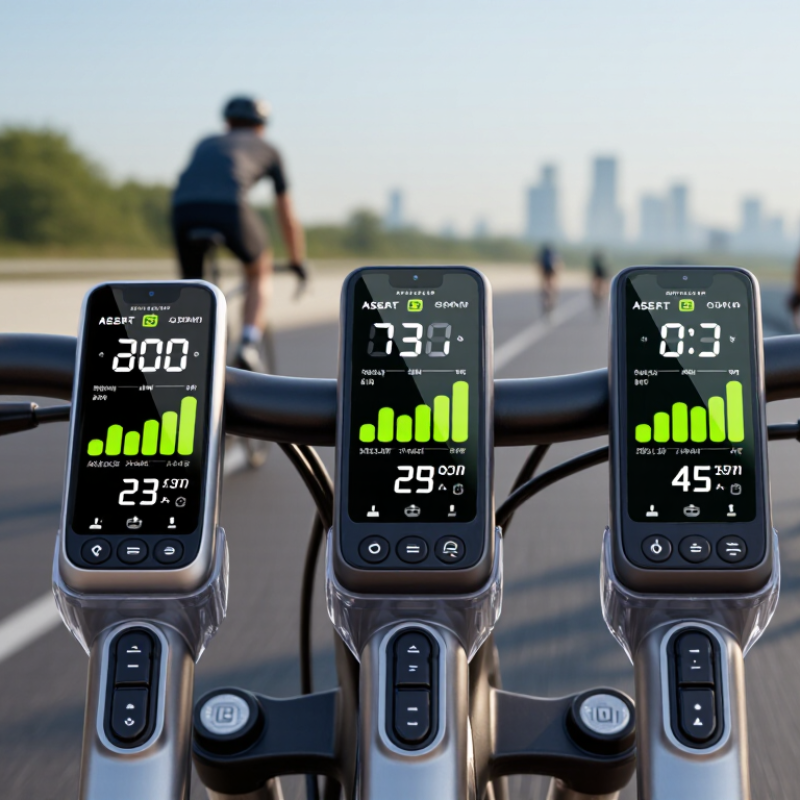
LCD, TFT, and OLED are common ways to describe e-cycle displays, but the categories overlap. TFT is a type of LCD: thin-film transistors control each pixel, helping produce sharper text and quicker updates. Basic monochrome LCDs are usually easy to read and economical. TFT screens can show detailed routes, battery levels, and assist settings. OLED pixels emit their own light, creating deep blacks and strong contrast. That distinction matters.
Grand View Research’s 2023 OLED Display Market report valued the global OLED display market at USD 43.5 billion in 2022 and projected a 17.2% annual growth rate through 2030. This signals wider investment in OLED, not proof that it is best for every e-cycle. Direct sunlight, glove-friendly controls, water resistance, and replacement cost may matter more than vivid color. OLED contrast can look excellent in a shaded garage, yet glare and long-term image retention deserve consideration. There is no universal winner.
Tips: Check the display outdoors before choosing. Read it in sunlight. Compare viewing angles, button size, and the clarity of battery warnings. Ask whether the unit remains legible with polarized sunglasses; that detail is easy to overlook. One caveat: manufacturers do not always label TFT-LCD and LCD consistently, so compare actual specifications, not category names alone.
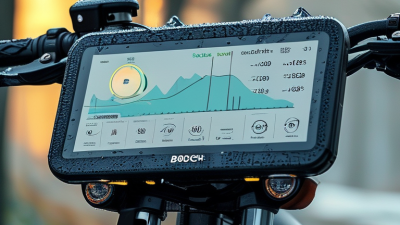
A useful e-cycle display is easy to read without pulling your eyes from the road for long. Screen size matters, but bigger is not automatically better. A compact screen can keep essential figures clear, while a crowded layout may make even a large panel feel confusing. Resolution helps sharpen small numbers and route lines. Yet extra pixels cannot fix tiny text or poor contrast. Glare matters. In strong midday sun, brightness and an effective anti-glare surface can matter more than a high-resolution spec. At dusk, the display should remain legible without flooding your vision with light.
Tips: Compare screens outdoors, not only under shop lighting. Check speed, battery level, and navigation at your usual riding distance. Tilt the screen slightly; reflections can change quickly as the sun moves. If possible, test it with your normal gloves, since small controls can be awkward to use.
Think about what you actually need to see at a glance. For commuting, speed and remaining battery may deserve the largest text. For longer rides, a clear route view can be more useful than extra data fields. A bright display can also drain more power, so adjustable brightness is practical. Specs rarely show how readable a screen feels over rough pavement. That part is easy to overlook, and honestly, no single size or resolution suits every rider.
A display’s weather rating matters when rain beads on the screen, muddy spray hits the handlebar, or a bike is rinsed after a ride. IEC 60529, the international enclosure-protection standard, defines IP65 as dust-tight protection plus resistance to water jets. IP67 adds dust-tight protection and a controlled immersion test: up to 1 metre of water for 30 minutes. These are laboratory conditions, not a promise of survival in every storm.
For a 2026 e-cycle display, IP67 may offer more reassurance if the bike faces puddles or heavy rain. Still, the rating alone says little about aging seals, cracked housings, cable entries, or repeated vibration. Water still finds seams. Check whether the rating applies to the complete display assembly, including connectors, and whether the manufacturer specifies limits on cleaning pressure. I would not treat either label as a durability guarantee; that would be too confident.
Tips: Inspect rubber covers and cable seals for gaps before wet rides. Avoid aiming a pressure washer at the screen, even when it carries an IP rating. Dry the connector area before unplugging it.
In 2026, a top e-cycle display should do more than show speed. Its readings must match the motor controller, wheel-size setting, speed sensor, and firmware. European Commission Regulation (EU) No 168/2013 sets the familiar EPAC limits: a maximum 250 W continuous rated power and assistance that cuts out before 25 km/h. Assistance must also stop when pedalling stops. These are system requirements, not features a screen can guarantee by itself. CONEBI’s 2024 European Bicycle Industry and Market Profile reports 5.1 million e-bikes sold in Europe in 2023, making reliable setup and servicing increasingly relevant. A clear display helps. It is not proof of compliance.
Check whether the display and controller are designed to communicate, then verify the stored wheel circumference and speed units. EN 15194 addresses EPAC electrical-system safety, but a compatible-looking screen can still show inaccurate speed if settings are wrong. I would not trust a neat “25 km/h” reading alone. A workshop can compare displayed speed with calibrated test equipment and confirm that assistance cuts off at the required threshold. Check the motor’s rated-power documentation too; peak output is not the same measurement. A phone GPS trace may help spot a mismatch, but it is only a rough cross-check. Small details matter.
This chart shows two EN 15194 EPAC reference limits: maximum continuous rated power of 250 W and assistance cutoff speed of 25 km/h. They use separate axes because they have different units. A display reading alone does not establish compliance; the motor, controller, and speed-sensing system must also meet the applicable requirements.
For 2026, the strongest e-cycle displays balance useful connectivity with controls riders can operate through gloves. My ranking puts a sealed, monochrome display with a standard wired connection first for serviceability. Large buttons are easy to find on a bumpy lane, and a replaceable cable is simpler to diagnose than a sealed touch panel. It offers fewer phone features, though. No display wins every ride.
Second comes a compact color display with Bluetooth, clear battery data, and physical buttons. It suits riders who want navigation prompts without relying on a phone for basic speed or assist settings. Pew Research Center found that 91% of U.S. adults owned a smartphone in 2024, making phone pairing practical for many users, but not universal. Third is a touchscreen-heavy, app-dependent unit: rich in connected features, yet harder to use in rain and potentially costly to replace. That ranking is imperfect; manufacturers vary in spare-part support.
Repair access deserves real weight. The European Commission’s 2020 Eurobarometer found that 77% of EU respondents would prefer repairing goods rather than replacing them. PeopleForBikes reported U.S. e-bike sales grew 269% from 2019 to 2022, expanding the pool of riders who may need service. Before buying, check whether the display, cable, and mount can be replaced separately. A neat screen can still be a poor choice if one cracked connector sidelines the whole system.
| Rank | Display Option | Typical Connectivity | Controls and Readability | Serviceability | Connectivity Score | Controls Score | Serviceability Score | Best For |
|---|---|---|---|---|---|---|---|---|
| 1 | Detachable color display with handlebar remote | May support Bluetooth or a system-specific wired link; phone-app support depends on the drive system. | Dedicated buttons let riders change assist modes without reaching for the screen. Color graphics can make menus and ride data easier to distinguish. | Often removable as a separate component, but connectors, pairing, and replacement setup may be system-specific. | 4/5 | 5/5 | 4/5 | Riders who want clear information and accessible controls. |
| 2 | Simple monochrome LCD with wired buttons | Typically uses a wired connection to the bike system; wireless features are not inherent to this display type. | Physical buttons and high-contrast figures provide straightforward access to speed, assist level, and battery information. | Simple screens can be easier to replace, but electrical connectors and compatibility are not universal. | 2/5 | 4/5 | 4/5 | Daily use, simple operation, and riders who prefer fewer menus. |
| 3 | Smartphone used as the main display | Can provide Bluetooth app connectivity, navigation, and ride-data features when supported by the bike system and phone. | Large, configurable screen; operation can be less convenient while riding, and visibility depends on the phone and conditions. | The phone is easy to replace independently, but mounts, app support, battery use, and system pairing add dependencies. | 5/5 | 3/5 | 3/5 | Navigation and connected features, especially on bikes with a compatible app. |
| 4 | Compact LED or minimal indicator display | Usually provides a basic wired status connection; detailed app or navigation connectivity is generally not its primary function. | Small indicators communicate basic status with few controls; detailed ride figures may be unavailable on the unit. | Fewer display components can simplify the interface, although the control unit and wiring may still require system-specific service. | 1/5 | 3/5 | 4/5 | Minimalist setups and riders who need only essential status information. |
| 5 | Integrated cockpit or frame display | May connect to the bike's internal electronics; wireless and app features vary by system. | A clean, built-in layout can keep the cockpit uncluttered, but screen position and control access depend on the frame design. | A damaged or failed integrated unit may require specialist diagnosis or replacement of system-specific parts. | 3/5 | 3/5 | 2/5 | A streamlined appearance where system integration is a priority. |