Choosing a Custom LCD Display Manufacturer can determine whether a screen fits the product—or becomes a costly compromise. A standard module may look suitable on a drawing, yet fail under direct sunlight, vibration, or a tight enclosure. Customization can align the display’s size, brightness, interface, touch layer, and operating temperature with real working conditions.
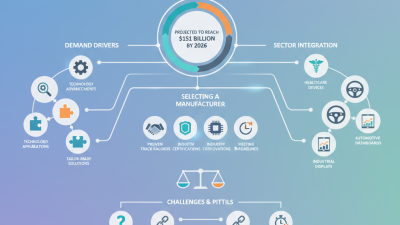
The market is substantial, but broad figures need careful interpretation. Grand View Research’s LCD Panel Market Size, Share & Trends Analysis Report estimated the global LCD panel market at USD 148.5 billion in 2023, with projected annual growth of 4.4% through 2030. This figure covers the wider panel market, not custom displays alone. Still, it reflects the scale of the technology behind products used in factories, vehicles, medical equipment, and consumer devices. Scale matters. Fit matters more.
Manufacturing quality offers another useful lens. W. Edwards Deming, a leading quality-management expert whose work shaped modern manufacturing, said, “Quality is everyone’s responsibility.” For display projects, that means checking more than a sample image: review optical performance, connector placement, documentation, and production consistency. Ask about test methods and how design changes are controlled. A polished sample is not proof of a reliable production run. Nor is every customization worth its cost. A careful supplier should explain the trade-offs plainly, including where a standard module may be the better choice. That honesty is easy to overlook, and worth seeking.
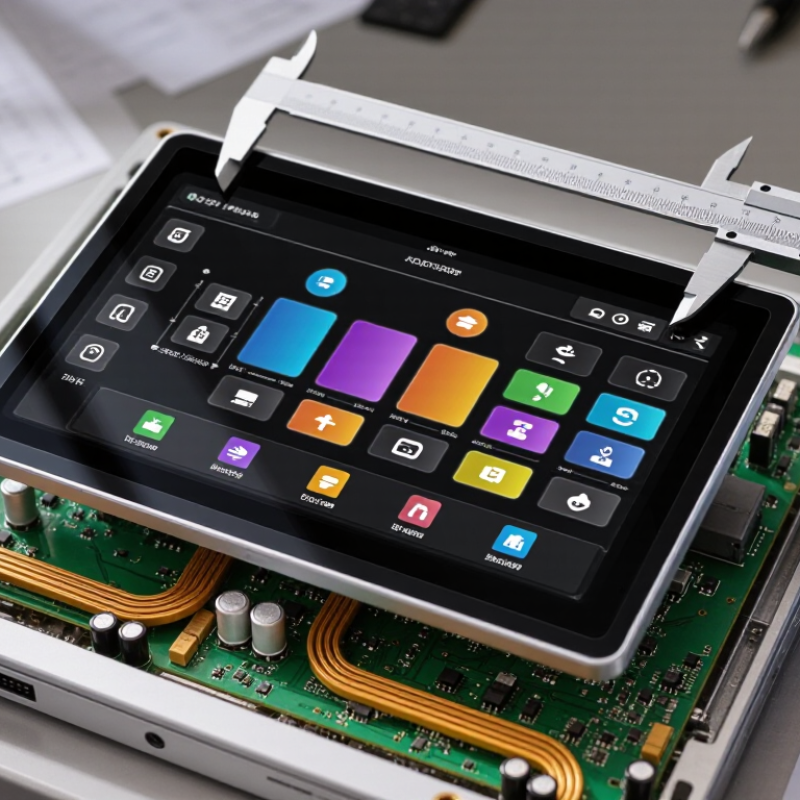
A custom LCD display is a screen designed around a device’s real operating conditions, not just its outer dimensions. Designers can specify the active area, resolution, viewing angle, brightness, touch input, connector position, and backlight. A compact medical instrument may need crisp labels under cool room lighting, while a factory controller may need a sealed front surface and readable text beneath overhead glare. Small details matter.
Applications vary widely. In vehicles, a display may show navigation or battery status; the International Energy Agency’s Global EV Outlook 2025 reports that electric car sales exceeded 17 million worldwide in 2024, around one in five new cars sold. That shift brings more screens into vehicle interfaces, though it does not mean every screen needs a custom LCD.
Industrial equipment, diagnostic devices, and handheld instruments also benefit when standard panels do not fit their enclosure, power budget, or user workflow. Test the display in the actual housing. A bright panel can still wash out at an awkward angle.
That is easy to miss. A custom specification should account for temperature, vibration, glove use, viewing distance, and the expected product lifetime. It should also be checked against the device’s electronics and manufacturing process.
There is a trade-off: special glass, touch layers, or unusual shapes can add cost and complicate replacement. A prototype may look excellent on a bench, yet feel cramped in the operator’s hand. That deserves a second look.
Why Choose a Custom LCD Display Manufacturer?
Identifying Project Requirements for a Display
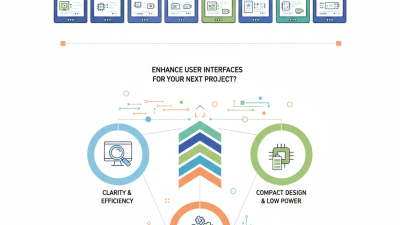
A display specification should begin with its job, not its diagonal size. Will users read it in direct sunlight, through a protective window, or from several feet away? A handheld instrument may need a compact, low-power screen, while a control panel may prioritize wide viewing angles and clear status icons. These conditions shape brightness, contrast, resolution, and interface choices.
Measure the available opening, including bezel overlap and mounting depth. Then note the host device’s supply voltage, signal interface, operating temperature, and expected service life. For example, a screen behind tinted glass may need more brightness than the same display on an indoor bench. Small details matter. Ask for drawings and sample units early; dimensions on a preliminary sketch can be wrong.
A custom LCD manufacturer can assess these requirements and explain trade-offs before tooling begins. Share the enclosure model, viewing distance, interface details, and preferred icons or fonts. Also describe cleaning methods and likely vibration, if relevant. Not every requirement will be known at the start, and pretending otherwise can lead to rework. Treat the first specification as a working document, test a prototype in its actual environment, and revise it when real use exposes gaps. This takes time, but it can reduce avoidable surprises.
| Requirement | Example Project Input | What to Confirm | Why It Matters |
|---|---|---|---|
| Display size and active area | 4.3-inch diagonal; approximately 95 × 54 mm active area | Available enclosure space, viewing window, mounting points, and required image area | Determines the panel dimensions and whether the display will fit the product housing. |
| Resolution and aspect ratio | 480 × 272 pixels; widescreen format | Content layout, image detail, processor capability, and target viewing distance | Higher resolution can improve detail but may increase interface bandwidth and system requirements. |
| LCD technology and viewing angle | IPS TFT LCD for viewing from multiple directions | Required viewing positions, contrast preference, color appearance, and operating temperature | Panel technology affects viewing-angle behavior, contrast, color reproduction, and cost. |
| Brightness and ambient light | Target brightness: around 500 cd/m² for a bright indoor environment | Lighting conditions, direct sunlight exposure, cover glass, and backlight dimming needs | Brightness should be selected for the actual environment; higher output can increase power and heat. |
| Touch functionality | Projected capacitive touch with a cover lens | Glove use, water exposure, number of touch points, lens thickness, and required surface finish | Touch technology and cover-lens design affect usability, durability, and optical performance. |
| Host interface | MIPI DSI or RGB interface, subject to the host processor | Supported interfaces, connector pinout, timing, cable length, and available bandwidth | Interface compatibility must be checked against the controller and system hardware before design approval. |
| Mechanical integration | Custom mounting tabs and a defined flex-cable exit direction | Overall dimensions, thickness, bezel, connector position, bend radius, and assembly method | Custom mechanical details can simplify installation and help prevent interference inside the enclosure. |
| Operating environment | Indoor equipment with an operating range specified by the system design | Operating and storage temperatures, humidity, vibration, and expected service life | Environmental conditions influence panel selection, materials, testing, and reliability requirements. |
| Power and backlight control | System-powered backlight with adjustable brightness | Supply voltage, typical and peak current, dimming method, and thermal limits | Power requirements affect battery life, power-supply design, heat management, and user experience. |
| Optical treatment | Anti-glare surface; optional optical bonding if reflections or internal condensation are concerns | Sunlight readability, reflections, air-gap appearance, impact protection, and repair needs | Surface treatments and bonding can improve readability or robustness, but may change cost and serviceability. |
| Production and lifecycle | Prototype evaluation followed by forecasted production quantities | Sample schedule, annual volume, component availability, revision control, and end-of-life planning | Early volume and lifecycle planning supports realistic sourcing, validation, and continuity decisions. |
| Validation and compliance | Functional, environmental, and system-level testing defined before production | Applicable product standards, required documentation, test conditions, and acceptance criteria | Clear validation requirements reduce late design changes and help ensure the display works in the finished product. |
A custom LCD design starts with the conditions around the screen. A manufacturer can adjust size, resolution, brightness, viewing angle, and interface to match the device. For a handheld meter used outdoors, a brighter display and a wide temperature range may matter more than extra pixels. Small details matter. Connector position and mounting holes must also fit the enclosure.
Engineers typically review drawings, operating conditions, and expected production volumes before recommending a display. They may tailor the backlight, touch layer, cover glass, or display mode. A prototype can reveal issues that drawings miss, such as glare from overhead lamps or text that becomes hard to read at an angle. Then test it. Check the display in its real setting, not only on a clean workbench.
Manufacturers can also adapt the interface and control electronics to the host product. This may simplify integration, but it can affect cost, power use, and lead time. Ask how samples are evaluated and whether brightness, color, and temperature performance are checked against agreed specifications. Not every feature improves the product. I have seen teams specify maximum brightness when users mostly work indoors; that choice can waste power and add cost. A clear set of priorities helps guide practical design decisions.
Evaluating Production, Quality, and Technical Support
A custom LCD display is only as dependable as the process behind it. Ask how the manufacturer controls panel sourcing, assembly, and inspection. Request a pilot run before approving full production. Check whether brightness, viewing angle, and operating temperature are measured against your actual requirements. A neat sample is useful, but repeatable results matter more.
Quality also affects service life and waste. The Global E-waste Monitor 2024, published by UNITAR and the International Telecommunication Union, reports that the world generated 62 million tonnes of electronic waste in 2022; only 22.3% was documented as properly collected and recycled. That figure does not measure LCD failures, but it makes durability and repair planning worth discussing. Ask for inspection records, test criteria, and realistic component availability. Be wary of promises without evidence. Technical support should include clear answers on interface timing, connector pinouts, and firmware changes. A slow reply during prototyping can become a bigger problem after launch.
Tips: Send a drawing, operating-temperature range, and sample-use case. Ask who handles engineering questions after delivery. Small details matter. And yes, early specifications can still change; document revisions instead of relying on memory.
Standard LCD modules work well when dimensions, viewing angles, brightness, and interfaces match the product. But a small mismatch can become a daily problem: a washed-out screen beside a sunny window, awkward mounting holes, or a cable that bends too sharply. Custom displays let engineers specify these details around the enclosure and operating environment. That fit matters.
The trade-off is real. A custom module may require tooling, qualification, and longer development time; standard alternatives can be quicker to source and easier to replace. Grand View Research estimated the global LCD display market at USD 148.5 billion in 2023, reflecting the scale and variety of applications served by LCD technology. Market size alone does not prove customization is better. It does show why one standard specification cannot suit every device.
For a handheld instrument, sunlight readability and low power draw may matter more than a large viewing area. For a control panel, glove-friendly touch response and a stable viewing angle may carry greater weight. Compare total integration effort, not just unit price: include brackets, cables, firmware changes, and field replacement. A custom design can reduce those compromises, though its added cost may not pay off for a short production run. That part deserves a careful review.
Custom Displays Compared with Standard Alternatives
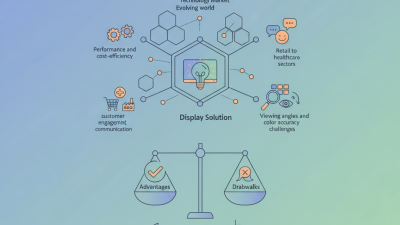
Custom displays can offer greater design flexibility and integration fit, while standard displays are often quicker to source and less costly upfront. Ratings are illustrative relative assessments on a 1–5 scale, where 5 is more favorable; actual results depend on the display specification, order volume, and supplier.