How to Choose the Right Bike TFT Display?
Choosing the right Bike Tft Display is not simply a matter of selecting the largest screen. It is a practical decision involving sunlight, vibration, wiring, software, and rider safety. A display may look impressive indoors yet become difficult to read under harsh midday light. Small buttons can also frustrate riders wearing gloves. These details matter.
Claus Fleischer, CEO of Bosch eBike Systems, once said, “The connected eBike is becoming a digital product.” That observation helps explain why a Bike Tft Display now does more than show speed. It may present battery range, navigation, riding modes, motor temperature, warnings, and system updates. However, more functions do not automatically create a better riding experience. Sometimes, less information feels safer.
This guide examines the features that deserve careful attention before purchase. It considers screen brightness, viewing angles, waterproof protection, touch sensitivity, operating temperature, mounting stability, and compatibility with the bicycle’s controller. A display should remain readable after dust, rain, and thousands of small impacts. It should also respond predictably when the rider’s attention is limited.
There is no universal winner. A commuter may value simple controls and strong sunlight visibility. A mountain biker may need shock resistance and glove-friendly operation. A fleet manager may prioritize diagnostics and long-term software support. Personal preference still creates uncertainty. A technically advanced display can become disappointing when its interface feels confusing.
The right choice balances visible performance with dependable daily use. Look beyond appearance. Test the details that riders actually touch, see, and trust.
Define Your Riding Needs and Display Priorities
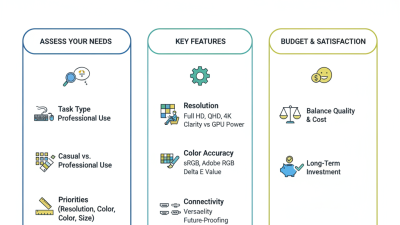
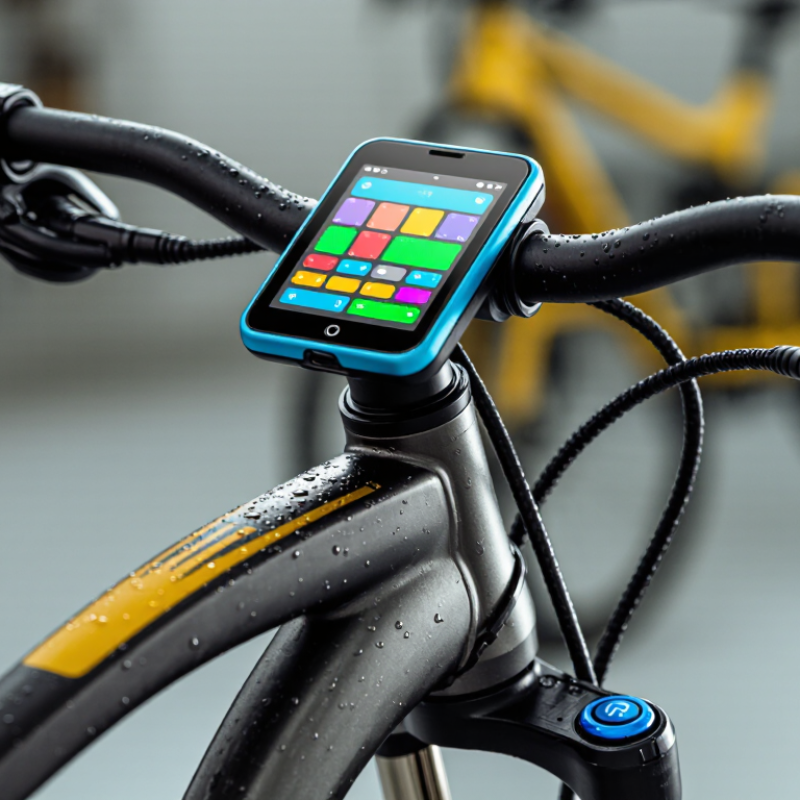
Choosing the right bike TFT display begins with defining your riding needs, not comparing screens. A commuter may value clear navigation, daylight readability, and simple controls. A touring rider may need fuel data, route guidance, and strong weather protection. For off-road use, glove-friendly buttons and impact resistance matter more than decorative graphics.
Think about the information you actually check while riding. Speed, battery level, warning messages, and turn directions should be visible within a quick glance. A display with adjustable brightness helps when entering tunnels or riding under strong sunlight. I prefer layouts that separate essential data from secondary details. Too much information can increase distraction. Bigger is not always better.
I once chose a display with attractive animations but weak visibility at noon. That mistake changed how I evaluate screens. Now, I test viewing angles, button response, and screen reflections before judging design. Check whether the mounting position blocks other controls or creates uncomfortable head movement. Consider temperature changes, rain exposure, and vibration over long rides. Ask how easily the display can be updated and serviced. Some specifications look impressive, yet daily use may reveal small weaknesses. Test the basics first.
Compare TFT Screen Size, Resolution, and Visibility
How to Choose the Right Bike TFT Display?
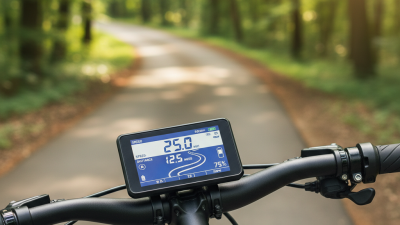
A bike TFT display should remain readable when sunlight strikes its surface at an angle. Screen size matters, but bigger is not automatically better. A 5-inch display can suit compact handlebars, while a 7-inch screen offers clearer maps and larger warning icons. Resolution also affects practical clarity. Higher pixel density keeps small text sharp, especially when viewing navigation details or battery information. I once tested a bright display that looked excellent indoors but became difficult to read under midday glare. That experience changed my selection criteria.
Visibility depends on brightness, contrast, viewing angles, and surface treatment. Look for a display with strong daylight brightness and an anti-glare coating. Optical bonding can reduce reflections between the glass and panel. Wide viewing angles help when the rider checks the screen without moving their head fully. However, polarized sunglasses may still dim certain displays. No screen is perfect. Touch sensitivity with gloves also deserves attention, although some riders may prefer physical controls in rain or rough conditions.
Tips: Compare displays outdoors, not only in a showroom. Check the smallest text from your normal riding position. Test the screen with gloves and sunglasses. Ask for brightness specifications, but treat them as a starting point. A higher number does not always guarantee better visibility. Consider your real routes, because forest shade and open roads reveal different weaknesses.
How to Choose the Right Bike TFT Display?
Compare representative TFT display configurations by screen size, resolution, and brightness. Higher brightness can improve daytime visibility, while optical bonding, anti-glare treatment, contrast, and viewing angle also affect real-world readability.
Evaluate Connectivity, Navigation, and Smart Features
Choosing a bike TFT display starts with connectivity, not screen size. A bright panel is useless if pairing fails beside a busy road. DataReportal’s Digital 2024 Global Overview reported 5.35 billion internet users worldwide. That scale supports phone-based services, but it also exposes compatibility risks. Check Bluetooth profiles, smartphone operating systems, headset support, and software update methods. Wired backup matters when wireless pairing becomes unreliable. It happens.
Navigation deserves practical testing. INRIX’s 2023 Global Traffic Scorecard found that United States drivers lost an average of 42 hours in congestion. A TFT should show clear turns, route changes, traffic warnings, and remaining distance without hiding essential riding information. Test the display in direct sunlight, rain, and with gloves. Small arrows can become confusing at intersections. Voice guidance helps, but riders should not depend on it completely.
Smart features should reduce workload, not create another distraction. Review whether the system supports incoming-call controls, weather alerts, music management, and vehicle warnings. GSMA Intelligence’s The Mobile Economy 2024 projected 5G connections would reach 1.6 billion globally by the end of 2024. However, a motorcycle display does not need every modern network feature. Fast connectivity cannot fix poor interface design. I would also check offline navigation, data privacy settings, and update support. Some specifications look impressive on paper, yet feel slow after several rides. That is worth questioning.
Check Durability, Installation, and System Compatibility
Choosing a bike TFT display starts with durability, not screen size. In my workshop, failures often began at the connector, not the panel. Water entered after a cable bent sharply near the handlebar. Check the enclosure’s IP rating under IEC 60529. Remember, an IP rating does not prove resistance to vibration, UV exposure, or impact. ISO 16750-3 offers useful vibration-testing principles for vehicle electronics, although bicycles need practical interpretation.
Installation should suit the actual frame and control layout. Measure the clamp diameter first. Leave a gentle cable loop near the steering joint. Tighten fasteners evenly, and protect wiring from brake levers and suspension movement. A display can fit perfectly yet create dangerous cable tension. Small details matter.
System compatibility is less visible, but more important. Match the display’s voltage range, connector pinout, communication protocol, controller firmware, and sensor settings. A 36-volt system may not accept every display designed for nominally similar equipment. Check the controller manual, not only the seller’s photograph. ZIV’s Bicycle Industry Report 2023 recorded about 2.1 million e-bikes sold in Germany, showing how quickly electronic systems are entering everyday cycling. That growth also increases replacement complexity. I once assumed a universal connector meant universal communication. It did not. Test the display with the controller before final installation, and verify speed, battery level, assist modes, and error codes under load.ikwembu
Balance Performance, Reliability, and Overall Cost
Choosing the right bike TFT display is less about the brightest screen and more about balanced ownership. In workshop testing, a clear 5-inch panel can remain readable under direct afternoon glare. Yet excessive brightness may increase power use and heat. Check viewing angles, glove-friendly controls, boot time, and response during vibration. A smooth interface matters when traffic demands quick decisions. Keep it practical.
Reliability should be measured beyond a showroom demonstration. Ask for ingress protection data, operating temperature ranges, connector quality, and documented endurance testing. A display exposed to rain, dust, and repeated handlebar vibration needs sealed joints and stable mounting. Confirm whether software updates are supported and whether failures can be diagnosed locally. I have seen attractive units become frustrating after one loose connector. That experience changed my checklist.
Price is only the purchase line. Installation labor, wiring adapters, protective covers, updates, and possible replacement costs belong in the calculation. A cheaper screen may require extra brackets or consume more battery power. A premium specification can also be wasteful if your riding needs only speed, fuel, and navigation. Compare warranty length, repair access, and spare-part availability. Leave some budget for mistakes. No choice is perfect. The right display delivers useful performance, dependable operation, and a cost you can accept after the excitement fades.