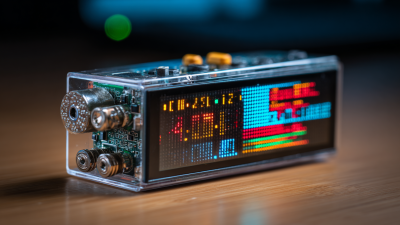
Character LCD displays are widely used in various electronic devices. These displays provide clear and readable text representation. They play a crucial role in user interfaces, from calculators to industrial equipment. Understanding how a Character LCD display works can unveil its significance in technology.
These displays utilize a grid of pixels to form characters. Each character comprises a specific arrangement of dots. This simplicity is part of what makes them reliable. However, users sometimes overlook the limitations of Character LCD displays. They often have restricted viewing angles and limited color output. Such constraints can affect usability in certain environments.
Despite their drawbacks, Character LCD displays remain popular due to their low cost and durability. Many hobbyists and engineers appreciate their ease of integration. However, there is a need to reflect on alternative technologies that offer improved features. Exploring these advancements can inform better design choices in future projects. Understanding both the merits and challenges of Character LCD displays is essential for informed applications in technology.
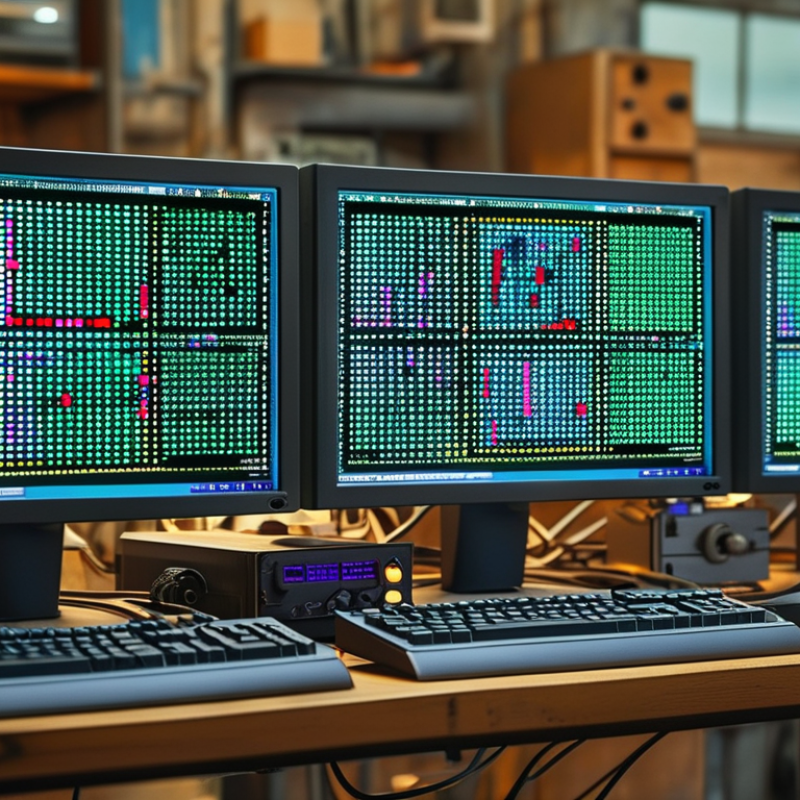
Character LCD displays are widely used in various electronic devices. These displays are composed of an array of liquid crystal pixels. They typically show characters and basic symbols, making them ideal for applications like calculators, microwaves, and industrial equipment.
In the market, the character LCD display segment is evolving. According to a recent industry report, the global market for liquid crystal displays is expected to reach $135 billion by 2025. This growth reflects the demand for efficient, cost-effective display solutions. Character LCDs are popular due to their simplicity and low power consumption. They generally operate with fewer components than graphic displays.
Despite their advantages, character LCDs have limitations. Their resolution is lower than graphic displays, which can restrict their use in more demanding applications. Additionally, their viewing angles can affect clarity in certain lighting conditions. Manufacturers are investing in improving these aspects, but challenges remain in providing higher resolution while keeping costs competitive.
Character LCD technology has a rich history that traces back to the 1970s. Early developers looked for ways to display alphanumeric characters clearly. This innovation was crucial for various applications, from calculators to industrial equipment. The simplicity of character LCDs made them a staple in technology development.
Over the years, technology advanced. The introduction of new materials improved the visibility and functionality of these displays. Engineers experimented with different backlighting options, enhancing the usability in low-light environments. Different sizes and resolutions became available, allowing for broader applications. However, the basic principles remained, focusing on displaying text rather than complex graphics.
Despite their evolution, character LCD displays have limitations. They can lack color depth compared to modern screens. Users may face challenges with viewing angles and outdoor visibility. While character LCDs serve specific purposes well, they often fall short for advanced graphical needs. Reflecting on these limitations is essential for understanding when to choose this technology.
Character LCD displays are popular in electronic devices.
They use a matrix of pixels to present alphanumeric characters. Each character is formed by illuminating specific segments on the display.
The basic components of a character LCD include a liquid crystal layer, a backlight, and an interface for communication with microcontrollers.
The liquid crystal layer controls the passage of light. It relies on electric fields to change the alignment of liquid crystals.
The backlight provides visibility in low-light conditions. According to a report by ResearchAndMarkets, the global LCD market is expected to grow at a CAGR of 5% from 2021 to 2026.
This indicates a strong demand for devices featuring LCD technology.
Tip: Consider your display's contrast ratio. A higher ratio improves visibility significantly.
Character LCDs often come with pre-defined character sets. They can display letters, numbers, and symbols. However, creating custom characters requires additional programming knowledge.
Some users may find this aspect challenging. Additionally, the limited color range can be a downside for specific applications.
Tip: When using LCDs, ensure proper power management to extend their lifespan.
Character LCD displays play a significant role in various industries. These displays are commonly used in devices requiring simple data visualization. Their low power consumption and affordability make them popular choices in manufacturing, healthcare, and consumer electronics.
In manufacturing, character LCDs can show operational data. For example, they often display production statistics on assembly lines. A report from the International Data Corporation (IDC) suggests that integrating character LCDs into machine interfaces can boost productivity by around 15%. This efficiency comes from the quick readability of performance data, which allows operators to make informed decisions rapidly.
The healthcare sector also benefits from character LCD technology. Medical devices frequently use these displays to present critical patient information. A study from the Healthcare Technology Report noted that devices with character LCD screens improved patient monitoring efficiency by approximately 20%. This enhancement allows healthcare providers to respond to emergencies more quickly. However, while character LCDs are reliable, their limited graphical capabilities can pose challenges in complex data visualization. This limitation necessitates careful consideration when designing user interfaces.
| Application Area | Description | Common Uses | Advantages | Limitations |
|---|---|---|---|---|
| Consumer Electronics | Used in devices such as calculators, microwaves, and digital clocks to display user information. | Screens of appliances, handheld devices. | Low power consumption, cost-effective. | Limited color display, low resolution. |
| Industrial Equipment | Displays operational data in machines and control panels. | Control panels for automation, manufacturing equipment. | Durable, readable in various lighting conditions. | Limited graphics capabilities. |
| Healthcare | Used in medical devices to display patient data and device status. | Monitors, diagnostic equipment. | Reliable, easy to read. | May require backlighting for visibility. |
| Automotive | Displays information such as speed, fuel level, and vehicle diagnostics. | Dashboard displays, infotainment systems. | Compact size, low power requirement. | Often lacks color diversity. |
| Retail | Displays pricing, product information, and promotional messages to customers. | Point-of-sale systems, shelf labels. | Cost-effective, simple to update. | Limited visual appeal compared to modern displays. |
Character LCD and graphic LCD displays serve distinct purposes and have unique characteristics.
Character LCDs typically show predefined characters in fixed sizes. They are cost-effective and simple to use, making them ideal for basic applications.
Common uses include calculators and simple digital clocks. Users appreciate their reliability and ease of integration into projects.
In contrast, graphic LCDs offer flexibility. They can display custom images and complex graphics.
This versatility allows for rich interfaces in advanced devices, from handheld gaming consoles to sophisticated industrial equipment.
Users can visualize data in dynamic ways, enhancing the user experience significantly.
However, development can be more complex and might require additional programming skills.
Tips: When choosing between these displays, consider your project needs. For basic text or numeric data, a
character LCD is sufficient. Evaluate your budget accordingly. If graphics are vital, go for a graphic LCD but prepare for a steeper learning curve.
Remember, simplicity often leads to more reliable designs. Avoid overload; too much information can confuse users.