2026 How to Choose the Best TFT LCD Monitor for Your Needs?
Choosing the right TFT LCD monitor can be a daunting task. As technology advances, options multiply. Industry expert John Smith once said, "Not all TFT LCD monitors are created equal; know your needs." His insight highlights the importance of making informed choices.
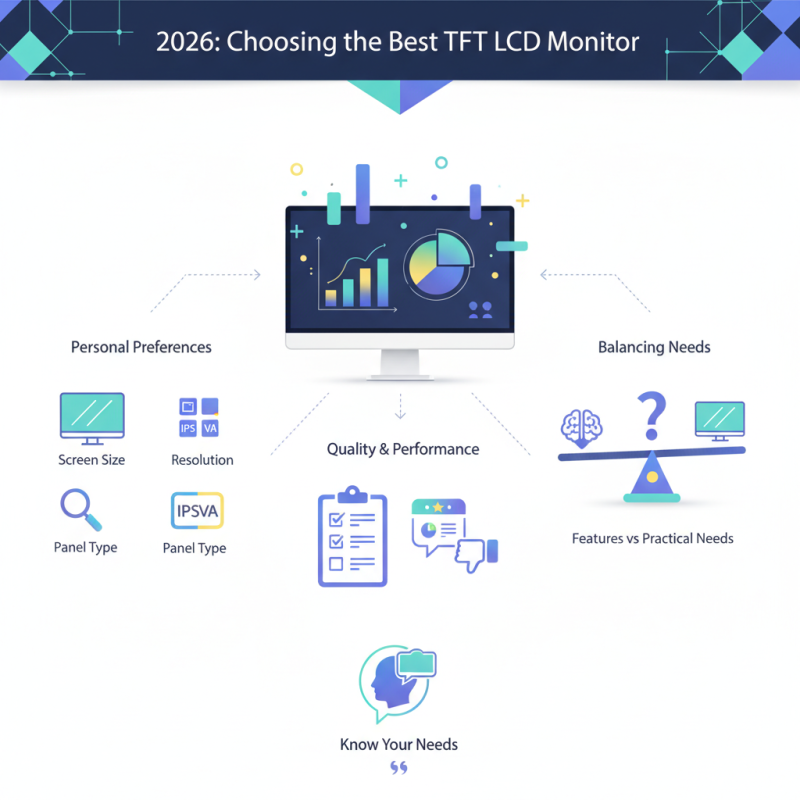
When selecting a TFT LCD monitor, it is crucial to consider personal preferences. Factors like screen size, resolution, and panel type can greatly influence the experience. A larger screen might enhance productivity, while high resolution delivers clearer images. However, these features can be overwhelming. Users often struggle with what truly matters.
Additionally, different brands offer various levels of quality and performance. Not every high-priced monitor guarantees excellence. Carefully reviewing specifications and user feedback can reveal hidden gems. Reflecting on your actual requirements may lead to a better decision. The key lies in balancing features with practical needs.
Understanding TFT LCD Technology and Its Advantages
TFT LCD technology offers significant advantages for various uses, from gaming to professional graphic design. TFT stands for Thin Film Transistor, a technology that enhances the performance of LCDs. The individual transistors improve color accuracy and response times. This leads to improved visuals, essential for users requiring precision.
The vibrant colors and sharp images provided by TFT LCD monitors make them a popular choice. They often deliver a wide viewing angle. This allows multiple people to view the screen without losing quality. However, the performance can vary. Not all monitors are created equal, and some may suffer from color shift issues.
It's essential to consider your use case. Casual users may not need the highest specifications. Professionals, however, might seek monitors with better calibration. Understanding these nuances can be challenging but rewarding for potential buyers. An informed decision leads to a better viewing experience and ensures that needs are effectively met.
Comparison of TFT LCD Monitor Features
This chart illustrates the comparison of various TFT LCD monitor features based on common specifications that may influence your purchasing decision. The data represents the average ratings of each feature across a range of monitors.
Assessing Refresh Rate and Response Time for Optimal Performance
When choosing a TFT LCD monitor, two critical specifications to consider are refresh rate and response time. The refresh rate, measured in Hertz (Hz), indicates how often the display updates its image per second. A higher refresh rate often results in smoother motion. For gamers, a refresh rate of at least 120Hz is recommended. This ensures a seamless experience during fast-paced action sequences. Recent studies reveal that monitors with 144Hz or more can significantly reduce motion blur in competitive gaming.
Equally important is the response time, which measures how quickly a pixel can change from one color to another. Manufacturers often quote this in milliseconds (ms). A lower response time, typically 1ms to 5ms, enhances the clarity of moving images by reducing ghosting effects. Research suggests that monitors with a response time of 1ms provide the clearest image during rapid movements. However, some models may not consistently deliver this performance in real-world settings.
It's also worth noting that there can be trade-offs. High refresh rates may require more powerful graphics cards, which may not be feasible for all users. Moreover, not all content takes full advantage of higher refresh rates. Therefore, it's essential to balance your specific needs with your system’s capabilities to avoid overspending on features you might not fully utilize.
2026 How to Choose the Best TFT LCD Monitor for Your Needs? - Assessing Refresh Rate and Response Time for Optimal Performance
| Monitor Model |
Refresh Rate (Hz) |
Response Time (ms) |
Panel Type |
Screen Size (inches) |
| Model A |
144 |
1 |
IPS |
27 |
| Model B |
240 |
0.5 |
TN |
24 |
| Model C |
60 |
4 |
VA |
32 |
| Model D |
75 |
2 |
IPS |
27 |
Evaluating Connectivity Options and Compatibility Needs
When choosing a TFT LCD monitor, assessing connectivity options is crucial. Many monitors come with HDMI, DisplayPort, and even USB-C ports. Check which ports your devices support. A monitor with diverse options provides flexibility for connecting laptops, gaming consoles, and other peripherals. Consider how many connections you need and if they are easily accessible. Limited ports can lead to frustration.
Compatibility is another key aspect. Ensure the monitor works well with your operating system and existing hardware. For example, older graphics cards may not support the latest resolutions. Research whether your software requires specific display features. It’s frustrating to invest in a monitor only to find it doesn’t sync well with your setup. Take it a step further; read user reviews to gain insights into real-world compatibility experiences.
Don't overlook the importance of refresh rate in relation to your connectivity options. A higher refresh rate may require specific connections to perform optimally. A mismatch here can lead to unwanted display issues. Balancing these factors can be complex, but it’s vital to align your needs with the monitor’s capabilities. Effective planning can prevent costly mistakes in the long run.
Budgeting for Your TFT LCD Monitor: Features vs. Cost
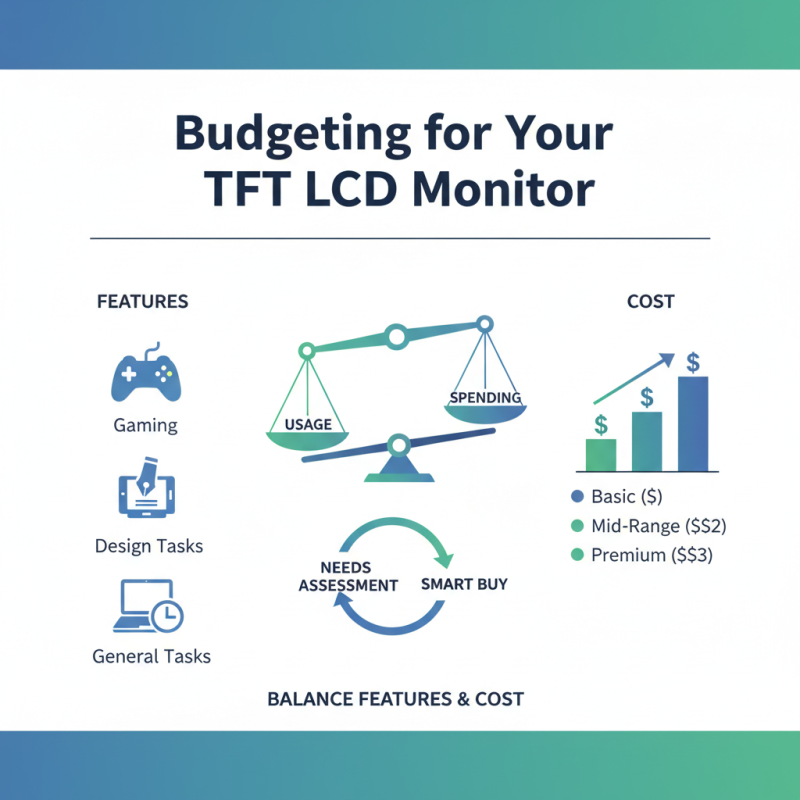
When budgeting for a TFT LCD monitor, it’s essential to balance features and cost. Many users often prioritize the latest technologies. However, they may overlook their actual needs. Assessing your usage is crucial. Will you use it for gaming, design, or general tasks? This decision will guide your spending.
Displays vary significantly in price. Higher resolution and refresh rates often come with a premium. But not everyone needs the latest 4K or 144Hz models. A full HD monitor may suffice for daily tasks. Consider features like color accuracy and viewing angles. These can enhance the experience without breaking the bank. Sometimes, spending less can lead to more practical choices.
Customer reviews can provide insights, but they may not always be reliable. Features touted by one user may not reflect another’s needs. Research is vital. Comparison tools can help clarify the differences. Yet, always remember that no monitor is perfect. There could be compromises, such as limited warranty or support. Reflect on these aspects to avoid future regret.